
How to Speed Up a Slow Android Phone — 10 Proven Methods Without Resetting (2026)
How to Speed Up a Slow Android Phone — 10 Proven Methods 2026
Android phones rarely slow down overnight. Performance drops gradually as cached files pile up, background services multiply, and system animations strain aging hardware. The good news is that these software-based slowdowns are reversible — unlike a computer that physically degrades, the phone's processor and RAM are just as capable as the day it was purchased.
Why Your Phone Is Slow
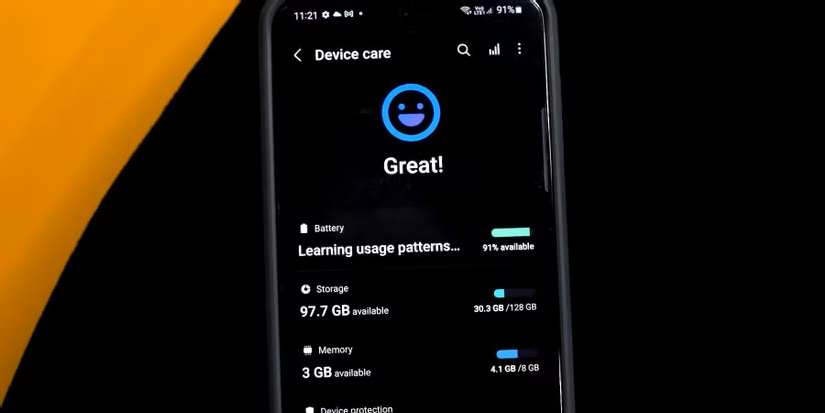
When storage is nearly full, the write speed of the device's memory chips drops significantly. This makes opening apps, saving photos, and even typing on the keyboard feel sluggish. The Golden Rule: for a 256GB phone, try to keep at least 50GB (roughly 20%) free.
Method 1: Regular Restarts
Sometimes a slowing device can be fixed by a simple restart. Restarting clears previously running apps, background processes, and other things that accumulate over time. Manufacturer skins like Samsung's One UI allow scheduling automatic restarts at set times — OPPO, Xiaomi, and OnePlus offer this feature too.
Method 2: Free Up Storage Space
Open Settings → Storage to identify apps and files using the most space. Clear app cache (not app data) to remove temporary files without deleting personal information. Use the built-in Files or Storage Cleaner to delete unused downloads, duplicate photos, and offline videos. Move photos and videos to an SD card or cloud storage to free internal storage.
Method 3: Clear App Cache
Clearing cached data is one of the quickest wins for improving performance. Settings → Storage → tap "Cached data" or "Free up space" — the phone shows how much space cached files consume. Tapping "Clear cache" removes temporary files without deleting important data like login credentials or app settings. For individual sluggish apps: Settings → Apps → select the app → Storage → "Clear cache."
Method 4: Update the OS and Apps
A great place to start is updating the OS and frequently used apps. Developers update apps to fix incompatibilities, and Google updates Android to address issues. What seems like slowdown may be an incompatibility that these updates resolve.
To update apps: Google Play Store → tap the profile picture → "Manage Apps & Devices" → "Update All."
Method 5: Delete Unused Apps
Forgotten apps may be running background processes that slow the phone and drain the battery. Start with obvious candidates: games played once, shopping apps for stores never visited, and duplicate apps doing the same thing.
Lite apps offer an easy way to reclaim resources from full-fledged, power-hungry apps. Facebook's Android app, for example, has a reputation for being bloated and permission-hungry.
Method 6: Reduce Animations in Developer Options — The Most Powerful Trick
How fast an Android phone feels isn't just about hardware. Software animations play a major role in perceived responsiveness. There are three relevant settings: "Window Animation Scale," "Transition Animation Scale," and "Animator Duration Scale" — all controlling how quickly different system animations play.
Enable Developer Options: Settings → About Phone → tap "Build Number" seven times until the message "You are now a developer!" appears.
Reduce animation speed: Settings → Developer Options → scroll to find "Window Animation Scale," "Transition Animation Scale," and "Animator Duration Scale" → set all three to 0.5× to make animations twice as fast.
This won't make apps actually process faster, but the phone will unlock noticeably faster and apps will feel like they open faster — all with no cost and no third-party tools.
Method 7: Limit Background Processes
In Developer Options, scroll to the Apps section → "Background Process Limit" → set it to "At most 4 processes" or fewer. This frees up system resources and improves speed.
Method 8: Disable Unnecessary Auto-Sync
Auto-sync constantly updates apps like email, cloud storage, and social media, which drains performance. Settings → Accounts → disable Auto-sync for accounts not needing real-time updates. They can be synced manually when needed.
Method 9: Remove Live Wallpapers and Reduce Widgets
Disable live wallpapers and always-on display features if performance is a priority. Widgets constantly update information like weather, news, and stock prices, increasing RAM usage and slowing the phone.
Method 10: Put Apps in Deep Sleep
Deep sleep mode causes an app to close when not in use, freeing memory and system resources. In Settings, search for "App Battery Usage" → select apps to put in deep sleep → disable "Allow background usage."
FAQs
CONTACT US
Download the app


CONTACT US


Payment Methods










Shipping with

©2026 MobiTech Integrated Solutions. . All Rights Reserved
©2026 MobiTech Integrated Solutions. . All Rights Reserved